AI微缩世界绘画进阶:移轴效果与小人国场景的极致生成
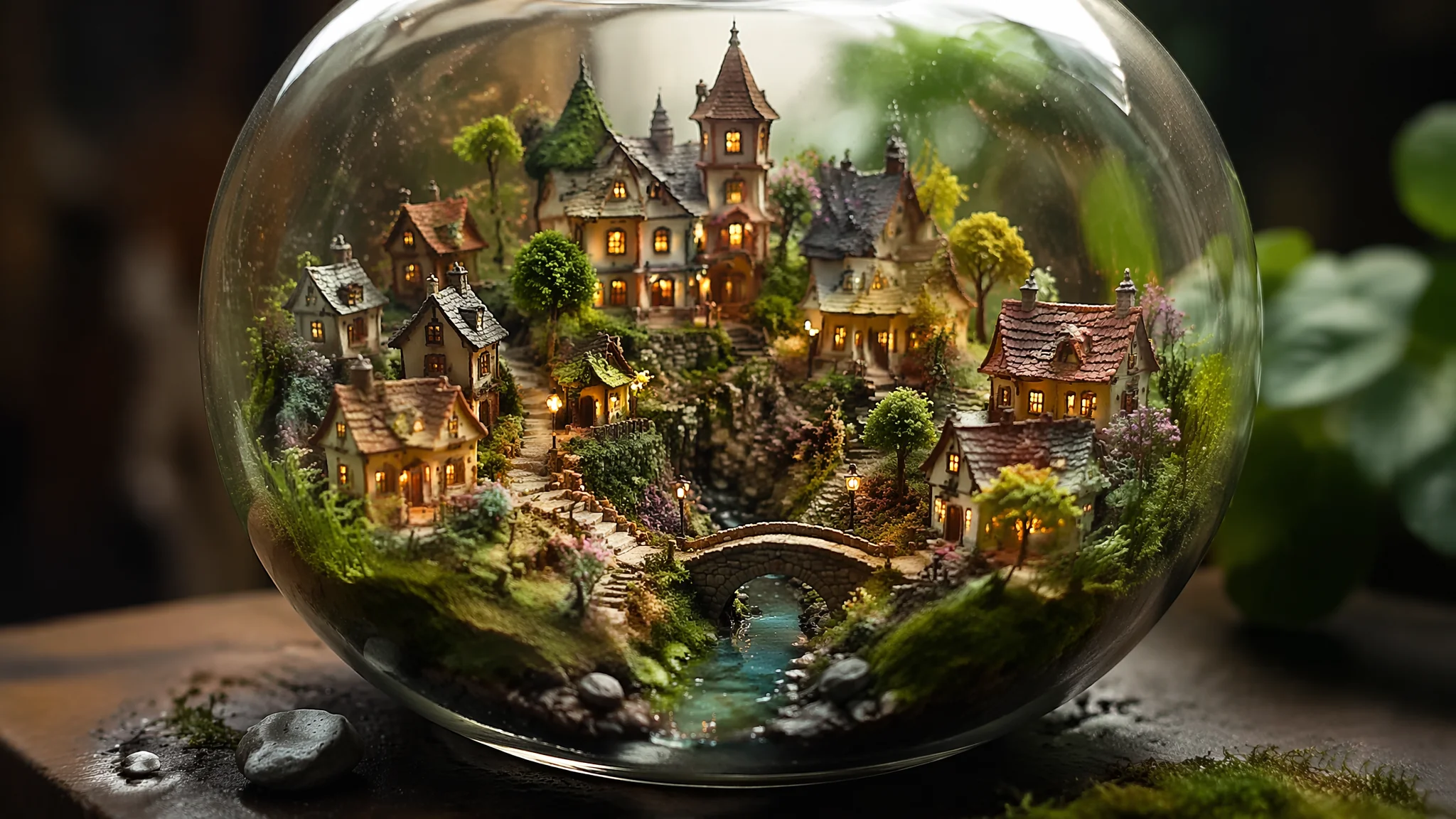
我第一次看到AI生成的移轴微缩图时,整整盯了屏幕五分钟——那种"真实的城市被缩小成了玩具"的视觉冲击力,不是卡通化能比的。微缩世界绘画的核心秘密就一句话:AI不是把东西画小,而是模拟移轴镜头的物理光学特性——浅景深、高饱和度、俯视角度——让真实比例的东西看起来像微缩模型。这篇从原理到Prompt,把移轴微缩世界的全套手艺交给你。
先说一个让人意外的事实:AI微缩绘画最关键的词不是"miniature"而是"tilt-shift"。tilt-shift是一种真实的摄影技术,通过倾斜镜头让焦平面偏移,制造出极浅景深——俯瞰视角下的真实城市看起来就像微缩模型。AI对"tilt-shift photography"这个关键词的响应非常精准,远比"miniature world""tiny city"之类的描述高级。我第一次写"tilt-shift photograph of a busy Tokyo intersection, viewed from above, tiny cars and pedestrians like miniature toys"——出来的图几乎能以假乱真,发到朋友圈有人问我"这个模型在哪里买的"。关于微缩世界的更多创意方向,可以参考AI小小世界绘画迷你可爱风里的袖珍童话场景思路。
移轴微缩效果的三大光学关键词:俯角、浅景深、高饱和
移轴效果由三个光学参数决定:拍摄角度必须是俯视(30°到60°之间最像模型)、景深必须极浅(f/1.4到f/2.8的效果)、色彩饱和度要偏高(微缩模型感的关键)。Prompt中的核心关键词组合:"tilt-shift photography effect, shot from high angle 45 degrees downward, extremely shallow depth of field with smooth bokeh, selective focus on center area with blurred foreground and background, vibrant saturated colors like hand-painted miniatures"。俯角是关键中的关键——太垂直(90°)像地图、太平(0-10°)没有微缩感,45°左右是甜蜜区间。景深的写法不要只写"blur background",要写"tilt-shift lens effect with distinct plane of focus, everything above and below the focus plane gradually blurs"。色彩上"boosted saturation, vibrant toy-like colors"能强化微缩模型的塑料感和玩具感。构图原理的深度解析在AI绘画构图技巧与视觉引导里有完整阐述。
六大微缩场景类型的Prompt实战配方
城市街景、火车站、港口码头、游乐场、建筑工地、田园村庄——六种场景各有专属Prompt套路。城市街景:"tilt-shift miniature of Shibuya crossing at rush hour, tiny pedestrians crossing in organized chaos, miniature yellow taxis, soft afternoon light"。火车站:"tilt-shift view of a train station platform, miniature trains arriving and departing, tiny travelers with luggage, warm golden hour lighting"。港口:"tilt-shift photograph of a busy cargo port, miniature container ships and cranes, colorful shipping containers stacked like building blocks"。游乐场最出效果:"tilt-shift miniature of an amusement park, tiny ferris wheel and roller coaster, colorful carnival lights at dusk"。建筑工地也很好玩:"tilt-shift of a construction site, miniature excavators and cranes, dirt piles looking like sandbox play"。田园村庄则走治愈路线:"tilt-shift of a countryside village, miniature farmhouses and tractors, patchwork fields like a patchwork quilt"。每个场景我都建议在Prompt末尾加上"macro lens style, toy model aesthetic, diorama feel"三个收尾词,能强化微缩感。更多场景灵感可以在Flickr上搜索"tilt-shift photography"看真实摄影师的移轴作品,拿来作为AI生成的风格参考非常有效。
小人国叙事:在微缩场景中加入故事情节
光有微缩场景不够——加上叙事元素才能让画面从"好看的模型照"升级为"有故事的小人国"。我最满意的一组微缩作品是一个"小人国菜市场"系列:把水果蔬菜放大到和人一样高,微型人物在巨大的草莓和西兰花之间穿梭交易。Prompt写法:"tilt-shift miniature scene, tiny people navigating through giant fruits and vegetables in a market setting, a miniature vendor stands on a strawberry the size of a car, customers with tiny shopping bags dwarfed by giant broccoli trees"。另一个我反复用的叙事模板是"意外比例"——日常物品在微缩世界变成了建筑:"tilt-shift scene of miniature workers cleaning a giant wristwatch with tiny brushes, the watch gears loom like industrial machinery"。这种叙事型的微缩画面在社交媒体上传播力极强,我做的一组"微型清洁工清理巨型键盘"的图在微博上跑了几万转发。要拓展叙事思路,AI角色设计核心技法里关于场景与角色关系的分析可以给你不少启发。
微缩世界的高级玩法:结合真实纹理与2.5D效果
微缩感不只靠模糊——材质纹理和光影方向也在传递"这是模型还是真实"的潜意识信号。真实微缩模型通常有特定的材质感:塑料的光泽、黏土的颗粒、纸板的纹理。可以在Prompt中加入材质描述:"handmade miniature diorama, crafted from clay and paper, visible texture of hand-painted surfaces, realistic yet slightly imperfect craftsmanship"。2.5D效果是另一个进阶方向——画面既有微缩模型的立体感又有插画的平面装饰感:"2.5D miniature illustration, isometric perspective, detailed miniature world with soft diorama lighting, game asset style"。这种风格特别适合做独立游戏的场景概念图。我在ArtStation上研究过几位做微缩场景概念的设计师,他们的共同技巧是在写实和手工感之间找到平衡——不能太完美,完美了就失去了"微缩模型"的灵魂。
常见问题
AI微缩世界绘画最核心的问题围绕移轴效果控制、场景选择和画面真实感展开。为什么我写的"tilt-shift"效果不明显?
大概率是因为没有配合俯视角度和浅景深描述。单独写"tilt-shift"不够,必须同时写"high angle view from above"和"shallow depth of field, selective focus"。这三个关键词是三位一体的,缺一个效果打五折。
微缩场景选什么题材最容易出效果?
交通类场景(路口、火车站、高速公路)和人群密集场景(集市、广场、游乐场)最容易出效果。因为移轴效果的魅力在于"把繁忙复杂的东西缩小成玩具"——元素越多、越复杂,微缩化后的视觉反差越强烈。
AI微缩画在商业上怎么变现?
三个方向:一是壁纸和装饰画(微缩城市系列在电商平台卖得不错),二是广告和海报背景(tilt-shift风格在海报设计里很有辨识度),三是游戏和动画的概念图(很多独立游戏在探索微缩世界的美术风格)。
用AI把世界缩小,你会发现身边最普通的街景也能变成艺术品。