AI平板绘画教程:iPad与安卓平板上的移动端AI绘图全攻略
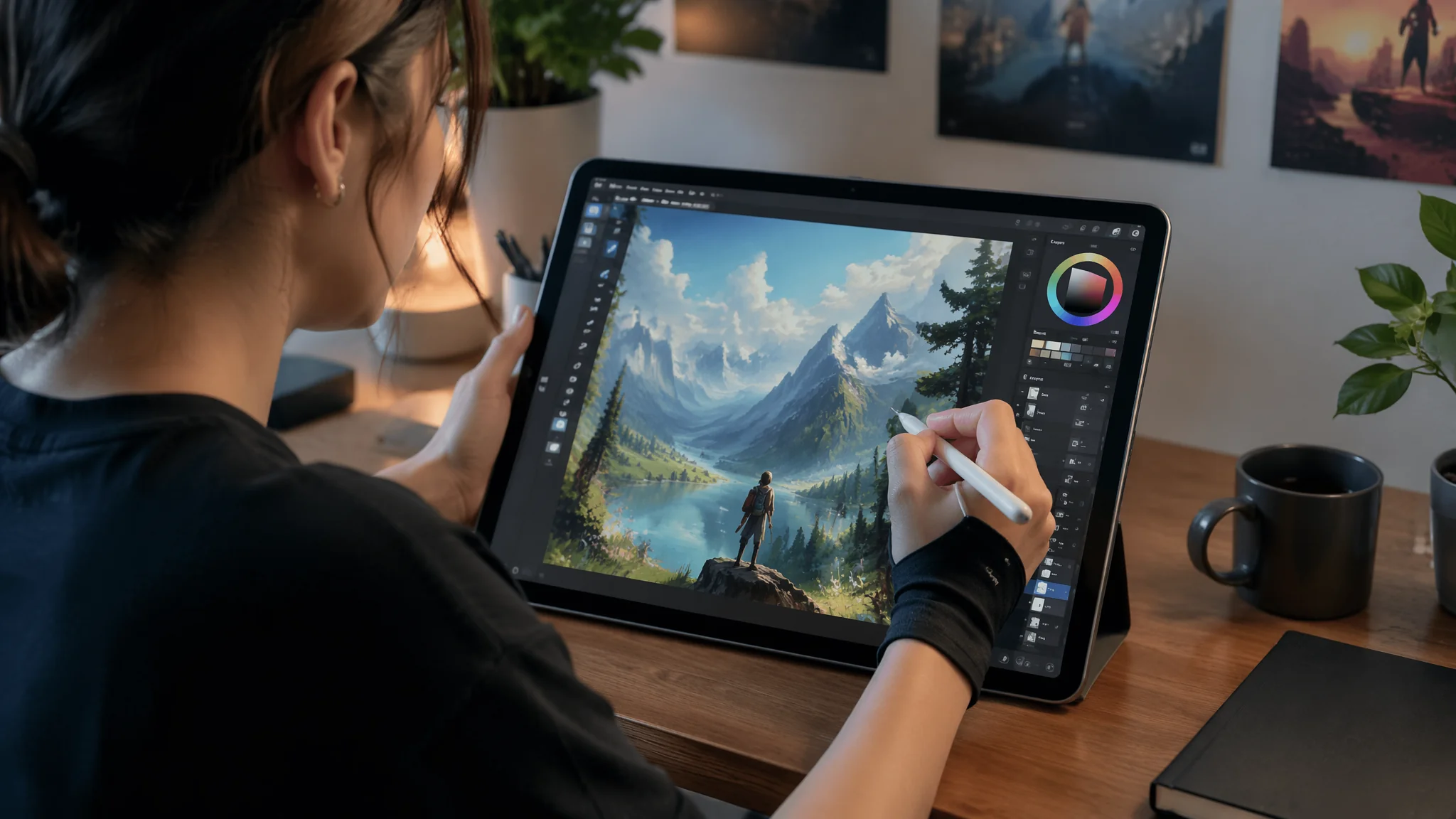
上个月出差在高铁上,隔壁座位的姑娘掏出一台iPad Pro,Apple Pencil刷刷几下,配合AI工具十分钟出了一张完稿的插画。我低头看了看自己背包里三公斤重的游戏本,沉默了很久。回家当天晚上我就开始研究平板端的AI绘画方案——结论是:移动端AI绘画已经不是"玩具"了,它已经在很多场景下可以替代桌面端。
平板AI绘画的核心优势不是性能——任何平板的算力都被台式机吊打。它的优势是交互方式:Apple Pencil的压感和倾斜感应、手指的捏合缩放、平板的便携性。这些特质和AI绘画结合,产生了桌面端没有的创作体验。我用了大概两周时间密集测试了市面上所有能在平板上跑的AI绘画工具,这篇文章是测试报告。
iPad端AI绘画工具横评:哪款最适合你的创作需求
iPad上的AI绘画工具我测了七款,最终留在设备上长期用的是三款——Draw Things(免费本地SD)、Procreate+在线API(手动+AI混合)、Midjourney网页版(纯云端)。每款有自己的适用场景。Draw Things:"Draw Things app running Stable Diffusion locally on iPad, offline capable, custom model loading, ControlNet support on M-series chips, memory-efficient for 8GB devices, slightly slower generation but complete privacy"。Procreate+AI混合流:"Procreate sketch exported to AI service for refinement, AI-generated base imported into Procreate for manual painting over, hybrid workflow combining AI speed with human artistic judgment, layer-based editing preserving artist control"。Midjourney网页版:"Midjourney via Discord web interface on iPad Safari, fastest generation quality but requires internet, no local processing, best for exploration and concept phase rather than final production"。三款工具的使用场景分工是:灵感探索用MJ、快速出图用Draw Things、精修和完稿用Procreate叠加手动绘制。这套流程我已经跑了两个月,稳定高效。AI绘画工具全面对比指南里有更多工具的深度测评。
安卓平板AI绘图方案:性能限制下的最优解
安卓平板在AI绘画这件事上确实落后iPad一截——主要是芯片的NPU(神经网络处理单元)不如苹果的Neural Engine高效。但也不是不能用,关键是选对工具链。安卓可用工具:"Snapchat AI or Dream by WOMBO for casual use, Clip Studio Paint with AI plugin for professional work, web-based tools like Leonardo.Ai or Playground AI via Chrome, Google Colab remote SD for power users with technical skills"。三星平板专项:"Samsung Galaxy Tab with S Pen, using Sketchbook for initial drawing then cloud AI for enhancement, Samsung's own Galaxy AI features for photo-to-art conversion, DeX mode for desktop-like multitasking with multiple AI tools"。安卓端的一个实用技巧是"浏览器即工具"——直接在Chrome里使用Leonardo.Ai、Playground AI这些网页端工具,绕过了原生应用的性能限制。网页端的AI引擎跑在云端,平板的角色只是输入提示词和接收结果,对设备性能要求极低。Leonardo.Ai是目前对移动端网页体验优化最好的AI绘画平台之一。
触控笔操作技巧:压感、倾斜与手势组合的高效工作流
Apple Pencil的压感在AI绘画里的价值不是"画得更像"——而是用来做精准的局部重绘和蒙版绘制。把AI出图的瑕疵区域用笔刷圈出来进行局部重绘,比用鼠标圈选区精准十倍。压感应用:"pressure-sensitive brush masking for inpainting, light pressure for soft mask edges, heavy pressure for hard mask edges, tilt detection for variable feather width, palm rejection preventing accidental marks"。手势组合:"pinch to zoom into detail areas for precise masking, two-finger tap to undo, three-finger swipe for redo, Apple Pencil double-tap switching between brush and eraser, hover preview showing brush size before committing"。局部重绘流程:"AI generates full image → import to Procreate → use pencil to paint mask over problem areas → export masked region to AI for inpainting → reimport refined area → blend edges manually"。这套流程里最让我惊喜的是压感蒙版——轻压笔触产生的半透明蒙版边缘,AI处理起来比硬边缘蒙版自然得多,重绘结果和原图的融合几乎天衣无缝。AI局部重绘与图像修复技法里有更详细的inpainting教程。
移动端AI绘画的四大落地场景
平板上做AI绘画不是桌面端的"降级版"——它有自己的专属场景:外出写生AI增强、会议现场视觉速记、社交场合即兴创作、床上灵感捕捉。外出写生增强:"sketching outdoors with tablet, quick rough sketch of landscape, AI enhancement adding detail and atmosphere to sketch while preserving original composition, field sketching workflow for concept artists and illustrators"。会议视觉速记:"meeting visual note-taking, rough concept sketch during brainstorming, instant AI polish turning rough idea into presentable visual, accelerating design discussion from hours to minutes"。社交即兴创作:"social gathering impromptu art creation, friend describes a funny scene, AI generates illustration on the spot, shared instantly to group chat, modern equivalent of napkin doodles but infinitely more impressive"。床上灵感记录:"late night idea capture, no need to get out of bed and boot up workstation, tablet on nightstand ready for quick AI generation, capturing creative spark before it fades"。第四个场景是我个人的真实体验——半夜突然有个画面想法,摸起床头的iPad花两分钟跑一组AI图,早上起来再看,往往有惊喜。AI创作工作流优化指南里有更多效率提升的策略。
平板AI绘画的性能优化:散热、续航与云端方案的平衡
平板跑本地AI最大的敌人不是算力——是散热。iPad没有风扇,持续跑SD十分钟之后屏幕亮度会被强制降低,芯片降频,生成速度从每张十秒掉到每张四十秒。散热管理:"limit local generation to 4-6 images per session, let device cool between batches, avoid running local SD while charging, use stand or case that doesn't trap heat, consider cloud offloading for bulk generation"。续航策略:"local generation drains battery at roughly 1% per image on M1 iPad Pro, plan for 80-100 local generations per full charge, bring power bank for full day outdoor use, cloud-based generation uses minimal battery only for screen and network"。云端与本地平衡:"use cloud AI for exploration and bulk generation, reserve local AI for privacy-sensitive work and offline scenarios, hybrid approach maximizing both convenience and capability"。我的策略是:灵感探索阶段全部用MJ(云端),确定了方向之后切换到Draw Things(本地)做精细化控制,这样既充分利用了云端的生成速度和本地的精细控制,也避开了平板的性能短板。苹果官网的iPad技术规格页面可以查到各型号芯片的详细参数,对评估本地AI性能有参考价值。
常见问题
AI平板绘画常见问题集中在工具选择、性能瓶颈和触控操作方面。iPad上能运行Stable Diffusion吗?性能怎么样?
可以,Draw Things是目前最好的选择。M1芯片的iPad Pro生成一张512×512的图大约8-15秒,M2会快百分之二十左右。非M芯片的iPad也能跑但速度慢很多。建议至少8GB RAM的机型。
安卓平板和iPad在AI绘画上的差距有多大?
在不依赖本地算力的纯云端场景下(用网页版MJ或Leonardo),两者几乎没区别。差距在本地运行SD时——iPad的Core ML优化明显好于安卓的GPU加速方案。只用云端工具的话,买哪个平板都行。
平板能替代电脑做专业的AI绘画工作吗?
目前还不能完全替代。大批量生成、视频处理、复杂ControlNet管线还是需要电脑。但如果你的工作流是"AI出图+手动精修",平板上的Procreate+AI的组合已经可以覆盖百分之八十的需求了。
觉得有用的话分享给朋友吧。