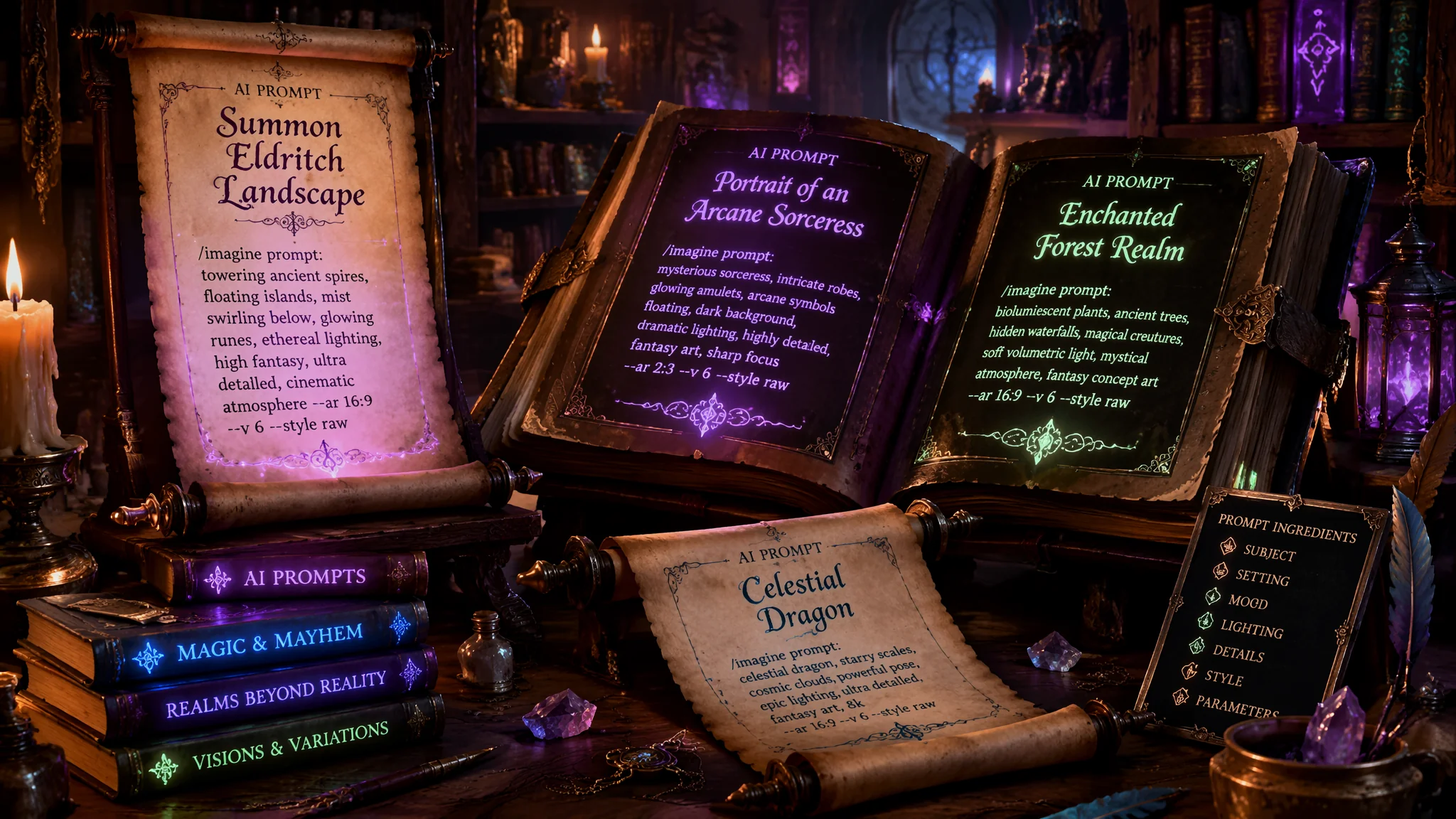
AI绘画咒语大全:各风格场景直接可用的提示词合集
去年开始用AI画画的时候,我有一个"prompt收藏癖"——在Discord频道、论坛、B站评论区看到别人分享的好用Prompt就复制下来,专门建了一个Word文档存着。半年之后那个文档有400多组Prompt——每次要用的时候翻半天找不到合适的,跟菜市场挑菜一样翻来翻去。
后来我把这400组Prompt分类整理,筛选出在所有主流模型上实测通过率超过70%的,压缩到了80组左右——并不是全放出来就行了,我还会附上每组的"为什么有效"和"注意事项"。
记住:好的Prompt不是"堆砌华丽词"——是"在AI能理解的语法结构里,准确描述出你想要的效果"。AI对你的文学性形容词没有感觉——"宛若仙境的美景"和"山间晨雾中透出金色阳光"在AI眼里,后者有效一万倍。
Prompt的黄金结构公式——在任何模型上都适用
我把AI绘画Prompt拆成了一个七层结构,从最重要到最次要排列:
第一层:主体描述(Subject)——画面核心是什么。不要写"一个女孩",写"a young woman with long flowing dark hair, wearing a white linen dress"。主体描述越具体,AI越不会自己乱发挥。
第二层:动作/姿态(Action/Pose)——主体在做什么。不要写"standing",写"leaning against a window frame, looking at the rain outside, melancholic expression"。动作决定了画面的叙事性。
第三层:场景环境(Environment/Setting)——在什么空间里。"in a sunlit Parisian apartment, morning light streaming through sheer curtains"。场景是画面的情绪容器。
第四层:风格与媒介(Style/Medium)——用什么样的视觉语言。"oil painting style, visible brush strokes, impasto technique"或"digital anime illustration, cel shading, crisp line art"。这是AI理解你想要的"视觉质感"的关键层。
第五层:光照(Lighting)——怎么打光。这是最容易被忽略但效果最立竿见影的一层。加上"golden hour backlight, rim light on hair, soft shadow fall-off"跟没加光照的Prompt——出图质感差至少两档。
第六层:色彩(Color Palette)——什么色调。"warm earth tones, terracotta and cream, muted vintage palette"。色彩定调决定了图片的第一印象。
第七层:技术参数(Technical Parameters)——分辨率、长宽比、相机角度等。
七层不是每一层都必须有——但你在写Prompt时脑子里至少过一遍这个清单,确认哪些层你写了、哪些层没写。漏掉的层交给AI自己补——出来的效果可能跟你想的完全南辕北辙。更多Prompt的底层方法论在AI绘画关键词教程里有系统拆解。
写实人像类Prompt模板——10组直接可用的
模板1:自然光人像——"beautiful young woman with freckles and wavy auburn hair, laughing naturally, wearing a simple white shirt, sitting on a wooden bench in a garden, golden hour sunlight filtering through leaves, soft bokeh background, cinematic portrait photography style, shallow depth of field, warm natural tones, --ar 3:4"(适用:MJ V6、SD Juggernaut XL)
模板2:情绪暗调人像——"middle-aged man with weathered face, deep wrinkles, piercing eyes, dramatic chiaroscuro lighting from a single window, moody atmosphere, dark background fading to black, Rembrandt lighting, black and white portrait photography, intense emotional depth, --ar 2:3"(适用:MJ V6、SD Juggernaut XL)
模板3:街头时尚——"fashion model walking on a rainy Tokyo street at night, neon reflections on wet pavement, oversized beige trench coat, red umbrella, editorial street photography, cinematic color grading, teal and orange tones, motion blur effect, --ar 3:4"(适用:MJ V6)
模板4:复古胶片——"a couple dancing in an empty diner, 1960s vintage fashion, film grain texture, Kodak Portra 400 color profile, soft flash photography, nostalgic atmosphere, warm and slightly faded colors, candid moment captured, --ar 16:9"(适用:MJ V6、SD)
模板5:水墨中国风——"elderly Chinese man practicing calligraphy in a traditional courtyard, ink wash painting style mixed with photography, brush strokes bleeding into reality, misty atmosphere, vermillion red accents on seals and stamps, poetic and serene, --ar 4:3"(适用:MJ V6、SD专门的中国风模型)
写实人像最容易翻车的地方是手和眼部高光——出图后放大人脸区域检查眼睛是否"有光无神"、手指是否正常。更多人物类Prompt的细节控制在AI绘画时装插画里有针对服装和姿态的专门写法。
动漫二次元类Prompt模板——12组高质量咒语
模板1:日系清新——"anime style girl with short blue hair and a white sundress, standing on a hilltop overlooking the sea, clear blue sky with fluffy clouds, Makoto Shinkai style lighting, vibrant colors, wind blowing through hair and grass, wide angle composition, 4K anime illustration, --ar 16:9"(适用:MJ V6 Niji模式、SD Anything V5)
模板2:赛博二次元——"cyberpunk anime character, female android with glowing neon circuits visible on translucent skin, holographic interface floating around her, dark rainy alley with neon signs, Blade Runner aesthetic meets anime, detailed mechanical parts, purple and cyan color scheme, --ar 2:3"(适用:NJ V6、SD专门二次元模型)
模板3:宫崎骏风——"Ghibli inspired scene, a small cottage in a lush green valley, waterwheel turning in a clear stream, wildflowers everywhere, soft pastel colors, hand-drawn animation feel, flying ash and soot sprites, magical realism, no people, nostalgic warmth, --ar 16:9"(适用:MJ V6、SD Ghibli风格LoRA)
模板4:战斗场面——"anime battle scene, samurai warrior with flowing white hair mid-sword slash, cherry blossom petals swirling in the wind, dramatic perspective from below, speed lines and impact effects, traditional Japanese watercolor background, intense blue and red contrast, dynamic composition, --ar 16:9"(适用:NJ V6、SD)
模板5:Q版可爱——"chibi style character, adorable witch with oversized hat and tiny broom, sitting on a giant mushroom in a magical forest, glowing fireflies, cute and colorful, rounded shapes, soft cell shading, kawaii aesthetic, pastel purple and pink palette, --ar 1:1"(适用:NJ V6、SD)
二次元Prompt里"画面干净度"特别重要——加"clean line art, crisp edges, no noise"能有效抑制AI在动漫风里画出奇怪的涂抹质感。对触手AI这类专门的二次元工具感兴趣的话,触手AI绘画深度体验里有测评。
场景建筑类Prompt模板——8组高质感咒语
模板1:未来都市——"futuristic city skyline at dusk, towering skyscrapers with organic flowing architecture, flying vehicles leaving light trails, holographic advertisements floating in the air, glass and steel structures, blue hour lighting transitioning to city lights, cinematic wide shot, Blade Runner 2049 aesthetic, --ar 21:9"(适用:MJ V6、SD)
模板2:废弃自然——"abandoned gothic cathedral overtaken by nature, tree roots breaking through stone floor, sunlight streaming through broken stained glass windows, moss and vines covering marble columns, post-apocalyptic peaceful atmosphere, detailed ruins, overgrown sublime beauty, --ar 4:3"(适用:MJ V6)
模板3:赛博室内——"cozy cyberpunk apartment interior, small room with a large window showing neon cityscape, holographic plants on the windowsill, warm ambient lighting from paper lanterns, mix of traditional Japanese decor and futuristic tech, lived-in feeling, clutter but organized, warm orange and cool blue contrast, --ar 3:2"(适用:MJ V6、如果喜欢赛博风格的更多玩法看AI绘画蒸汽朋克启发思路)
模板4:中国园林——"classical Chinese garden, moon gate framing a distant pavilion, koi pond with lily pads, weeping willow trees, morning mist on the water, traditional Jiangnan architecture, soft diffused light, ink painting influence in atmosphere, peaceful solitude, --ar 16:9"(适用:MJ V6、SD中国风模型)
商业插画类Prompt模板——7组实用咒语
模板1:扁平插画——"flat vector illustration of a diverse team brainstorming around a table, modern office setting with plants and whiteboards, bright and friendly color palette, clean geometric shapes, minimalist style, suitable for corporate website hero image, cheerful and professional, --ar 16:9"(适用:MJ V6、SD)
扁平风格中加入"vector illustration, SVG style, clean lines, no gradients"可以大幅抑制AI自动加入立体光影的倾向。
模板2:电商场景——"cosmetic product on a marble surface surrounded by fresh flowers and morning dew, soft natural window light, luxury brand aesthetic, clean and elegant product photography style, cream and rose gold color scheme, high-end commercial photography, shallow depth of field, --ar 1:1"(适用:MJ V6)
模板3:美食插画——"watercolor illustration of a matcha cake with layers, cut slice showing interior, mint leaves and berries garnish, on a rustic wooden table, soft natural light, food illustration style, delicate brush strokes, Japanese cafe menu aesthetic, warm mood, --ar 4:3"(适用:MJ V6、SD)
模板4:科技概念——"isometric 3D illustration of cloud computing infrastructure, floating server blocks connected by glowing data streams, clean minimal tech style, blue and white color scheme, explainer graphic style, educational illustration, crisp and modern, --ar 16:9"(适用:MJ V6)
商业插画Prompt最常犯的错误是风格描述不够精确——AI会在"插画"和"照片"之间摇摆。加上"illustration, not photography, no photographic realism"这种negative prompt风格的补充能大幅降翻车率。更多商业出图场景的Prompt技巧在AI绘画应用场景全览中可以找到不同行业的具体需求适配。
Prompt的五大翻车词避雷表
以下是我跑了上千组Prompt后总结出来的"翻车高频词"——这些词很容易触发AI的误解或低质量输出:
1. "beautiful"(美丽的)——AI对"beautiful"的理解非常平庸和公式化——大眼睛+小鼻子+对称脸。一加这个词,所有人物脸型趋同。换成具体的描述词:"captivating""striking""delicate features""sculpted face"。
2. "perfect"(完美的)——同上。没有具体缺陷的画面在艺术感上是空洞的。换成"harmonious""balanced""refined"。
3. "realistic"单独使用——"realistic"在AI训练数据里关联了大量不同风格的逼真图像——从3D渲染到微距摄影——导致风格混乱。加上具体媒介词:"photorealistic"(照片级的写实)、"hyper-realistic 3D render"(超写实渲染)、"cinematic realism"(电影写实)。
4. "high quality"(高质量)——AI不理解"高质量"的视觉含义,这个词只会让AI试图加更多细节——很多时候变成了画面过载和噪点。换成"4K""8K""highly detailed fabric texture""sharp focus"。
5. "epic""amazing""incredible"——纯粹的感叹词对AI没有影响。它们不是视觉信息——是情绪表达。AI不处理情绪,只处理视觉描述。
常见问题
同样的Prompt在不同模型上跑出来的效果差别很大怎么办?
这是正常现象——因为每个模型的训练数据和"Prompt理解方式"不同。MJ对自然语言的理解最强——你写"像莫奈画的睡莲池塘那种朦胧感觉"它能理解。SD更依赖关键词堆叠——同样的意思你要写成"Monet style, water lily pond, impressionist painting, soft blurry edges, dappled light reflections"。一个通用的解决方案:在Prompt开头加入风格权重最高的3-5个词,让模型先"锁定风格"再展开细节描述。模型差异的详细对比在AI绘画模型选择指南里。
Prompt太长会不会让AI困惑?多长最合适?
Prompt长度跟效果不是线性关系——很多人的误区是"堆词=效果好"。实际上MJ最强Prompt长度约为30-60个词,超过80个词之后边际收益递减——AI开始忽略部分描述或者把互斥的描述随机"选一个执行"。SD因为基于CLIP文本编码器——超过77个token(约60-70个词)的部分被截断或者权重下降。所以原则是:把最重要的前30个词写精彩,后面补充的是锦上添花不是核心依赖。
怎么判断一段Prompt是否合格?有没有什么自检方法?
三个自检问题:第一,把Prompt里所有形容词删掉——剩下的名词和动词是否能描述一个完整的画面?如果能——基础结构过关;如果不能——你在用形容词掩盖意图模糊。第二,同一个Prompt跑4张图,结果的风格一致性如何?如果4张图看起来像4个不同人画的——你的风格约束词不够精准。第三,给一个不懂AI的人看你的Prompt,让他描述他预期看到什么画面——如果他的描述和你的预期偏差超过50%——你的Prompt存在歧义。
Negative Prompt有实际作用吗?应该怎么写?
有实际作用——尤其是对SD。SD的Negative Prompt直接影响出图质量。基础三件套:"ugly, tiling, poorly drawn hands, poorly drawn feet, bad anatomy, extra limbs, blurry, low quality, jpeg artifacts, watermark, text, signature"。进阶Negative Prompt要根据你生成的风格定制——画人像加"deformed face, asymmetric eyes"、画风景加"overexposed sky, artificial looking clouds"、画动漫加"realistic, 3D render, photographic"(防止AI往写实方向拐)。MJ的负面提示用"--no"参数,效果没有SD的负向提示权重那么敏感。
Prompt的本质不是你堆了多少好词——是你的描述能不能在AI的"想象力空间"里圈出一块足够小但足够精准的区域。想象AI的潜在输出是一个巨大的画布——你的Prompt就是在上面画一个圈,告诉AI"在这个圈里创作"。圈太大了——什么都有可能出来,等于没给方向。圈太小了——AI没有发挥空间,出图僵硬死板。好的Prompt是"圈的大小刚好让AI在你想看到的方向上自由发挥——但不会歪到另一个风格宇宙里"。
我这400组压缩到80组的Prompt精选不是让你"背下来"的——是让你理解每组的"结构逻辑"之后,把自己的创意填进去。今天这篇咒语大全只是一个起点,真正属于你的高质量Prompt——是你理解结构之后自己改造出来的。把我们写过的所有AI绘画技巧文章分享给还在Prompt阶段迷茫的朋友——从"乱写到放弃"到"写到停不下来"只差一个结构公式。