AI绘画常用技巧:高频使用的实用Prompt模板与效率工具推荐
用AI绘画两年多,我的Notion里攒了一个叫"模板库"的页面——里面是我反复验证过、换个主题名就能直接出好图的Prompt模板,大概四十多条。每次有人问我"怎么快速上手AI绘画",我一般不会推荐他们去学理论——我先甩三个模板给他们,让他们把模板里的方括号替换成自己想画的内容,五分钟内就能出一张像样的图。先有正反馈,再去补理论。这些模板不是最好的,但一定是最"稳"的——每个模板我都在Midjourney和SD里分别跑过不下三十次,确认过在不同模型版本下都能稳定输出及格线以上的结果。
常用技巧这件事,关键在于"高频"——不是炫技的、复杂的、需要配合特定模型的,而是你每天打开AI绘画工具十次有八次会用到的那些东西。我把自己的常用库分成三大块:Prompt模板(人物、场景、风格化三类)、效率工具(放大、抠图、调色、批量等)、工作流习惯(文件命名、种子管理、Prompt版本控制)。这三块搭配起来,你的产出效率至少翻倍。关于AI绘画的全面入门知识,AI绘画Prompt工程从入门到精通是必读的基础教程。
人物类万能模板:从写实人像到角色设计的一键替换公式
这个人物模板我用了不下两百次——把方括号里的内容替换掉,性别、年龄、风格随便变,出图质量极其稳定。写实人像模板:[gender] portrait of a [age] [ethnicity] person, [expression], [hair style and color], [clothing description], [lighting setup], shot on a [camera model] with [lens] lens, [color palette] tones, editorial portrait photography, sharp focus on eyes, natural skin texture。具体示例:female portrait of a 30-year-old East Asian woman, gentle smile with eyes slightly crinkled, long black hair loosely tied back, simple white linen shirt, soft window light from the left, shot on a Canon EOS R5 with 85mm f/1.2 lens, warm earthy tones, editorial portrait photography。角色设计模板:[occupation/class] character design, [gender], [age appearance], wearing [outfit with material description], [weapon or tool if applicable], [pose description], [art style], character design sheet, full body, clean lineart with flat colors, turnaround reference。这两个模板的通用性极高——我帮朋友做过头像、做过DND角色卡、做过小说封面,同一个模板微调之后全搞定。更多人物绘画技巧参考AI人体绘画速写与角色设计。
场景类万能模板:从室内空间到户外风景的构图公式
场景模板的核心是"空间分层"——前景、中景、远景各写一句,画面结构不会乱。室内场景模板:[room type] interior, [style description], [foreground element: e.g. a wooden table with a vase of fresh flowers], [midground element: e.g. a comfortable sofa with throw pillows], [background element: e.g. large windows showing a garden view], [lighting: natural daylight streaming in], [color scheme], [overall mood], architectural digest photography style。户外场景模板:[landscape type], [season and time of day], [weather condition], [foreground: specific element close to camera], [midground: main landscape feature], [background: distant vista], [atmospheric effects: mist, haze, or clear air], [lighting quality], national geographic landscape photography style。场景模板最关键的是"摄影风格锚点"——最后那句"architectural digest photography style"或"national geographic landscape photography style"决定了AI对整体品质的把控方向。没有这个锚点,同样的场景描述AI可能给你一个游戏截图质感。关于场景构建的系统方法,AI自然风光景观绘画技巧做了很详细的拆解。
风格化万能模板:水彩、油画、扁平、赛博等一键风格切换
同一个内容换不同风格,最能直观感受AI的灵活性。风格化模板:[subject description], in the style of [art movement or artist], [medium and technique description], [color palette characteristic], [brushwork or rendering style], [overall atmosphere]。水彩示例:a bouquet of wildflowers in a ceramic vase, watercolor painting style, wet-on-wet technique with soft bleeding edges, transparent layers of color, delicate and dreamy, the paper texture is visible through the paint。油画示例:a bouquet of wildflowers in a ceramic vase, oil painting on canvas, impasto technique with thick visible brushstrokes, rich saturated colors, the surface has physical texture from the paint application, classical still life composition。扁平风示例:a bouquet of wildflowers in a ceramic vase, flat vector illustration style, bold outlines, solid colors with no gradients, minimalist geometric shapes, modern editorial illustration。同主题跨风格对比是学习风格关键词效果的最佳方式——强烈建议新手拿一个简单主题(花、猫、杯子)做十种风格的对比实验。
六大效率工具推荐:放大、抠图、调色、批量、管理、提示词辅助
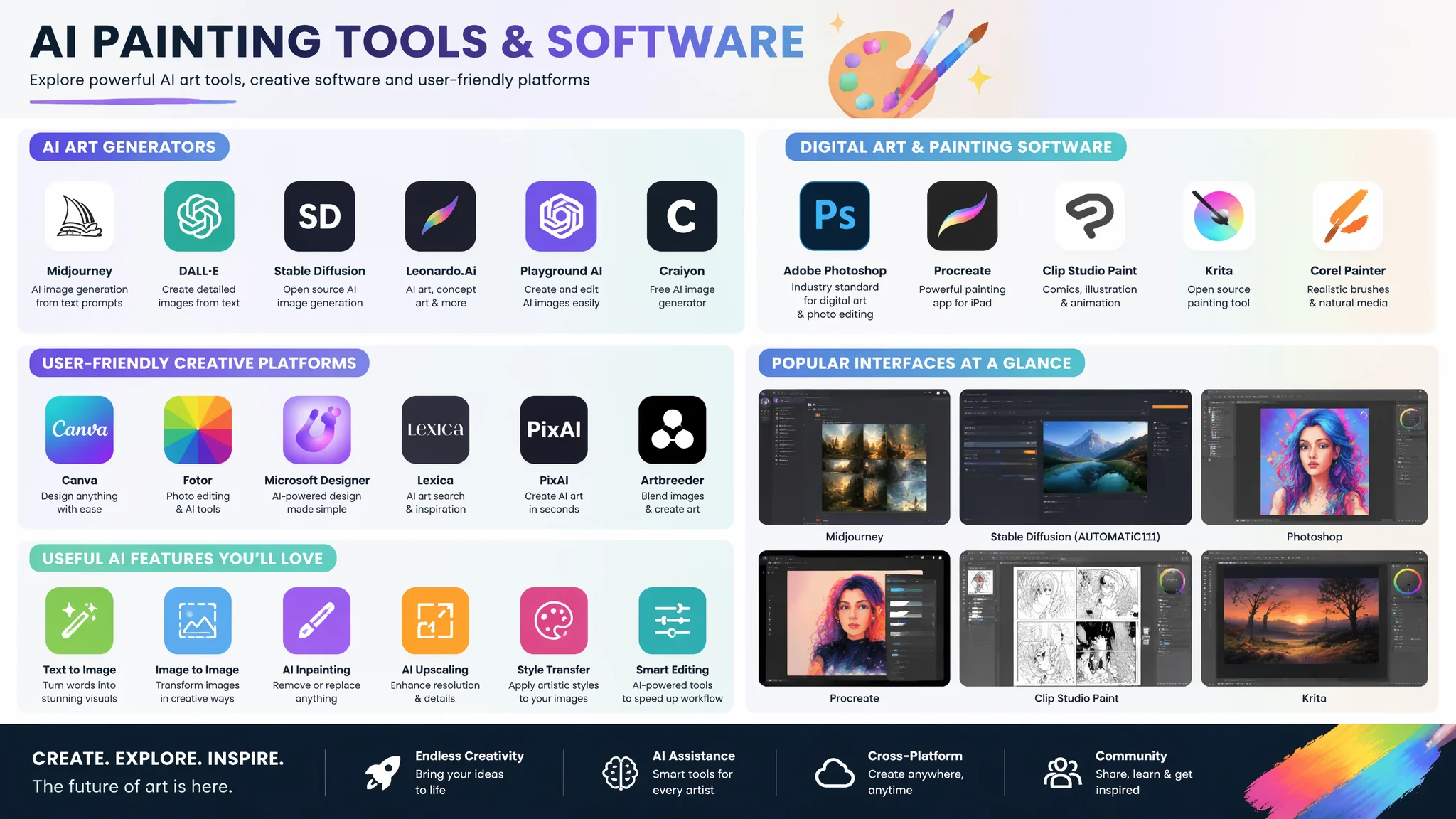
AI直出图只是半成品——后处理工具链决定了你最终交付的质量和效率。放大工具:Real-ESRGAN(本地部署,免费,动漫和写实图都适用)和Upscale.media(在线,免安装,适合偶尔使用)。抠图工具:Remove.bg(在线,AI自动抠图,精度高于PS的自动选择)和Clipdrop(支持人物、物体、动物等分类抠图)。调色工具:Adobe Lightroom(专业级,预设+手动调整)和Photopea(免费在线版PS,满足90%的基础调色需求)。批量处理:SD WebUI的X/Y/Z Plot功能(一次测试多参数组合)和MJ的批量Variations。管理工具:Eagle(本地素材管理,按Prompt和参数自动分类)和Notion(记录Prompt模板和版本)。提示词辅助:Danbooru标签超市(动漫向Prompt的词汇库)和PromptHero(查看热门Prompt和对应效果图)。工具不在多,在精——我用得最勤的就三样:Real-ESRGAN放大、Eagle管理、Photopea调色。三样全免费,足够覆盖90%的个人创作需求。在Real-ESRGAN的GitHub和Eagle官网可以下载最新版本。
工作流习惯:文件命名规范、种子管理和Prompt版本控制
效率提升最快的方式不是学更多技巧——是把你的工作流整理清楚。文件命名规范我采用"日期_项目_序号_版本_参数"格式,如"20260703_portrait_001_v3_seed42.png"。好处是一年后你还能从文件名定位到这张图的生成条件。种子管理:好种子是有限的,每次跑出不错的结果立即把种子号记下来(MJ用/describe反查,SD在PNG Info里看)。Prompt版本控制:用Notion的Toggle List结构记录每一次Prompt的迭代——原始版 → V1改了色调 → V2换了构图 → V3微调了人物表情。能回溯才能迭代,能迭代才能提升。这三个习惯养成之后,你再也不会出现"那张图怎么画的我忘了"的情况。
十组即插即用的常用负向提示词合集
负向提示词是很多新手的盲区——其实它的重要性跟正向提示词五五开。通用质量负向:low quality, blurry, ugly, deformed, bad anatomy, extra limbs, missing fingers, watermark, signature。写实人像负向:cartoon, anime, 3D render, plastic skin, smooth skin, airbrushed, photoshopped, uncanny valley。动漫负向:realistic, photograph, 3D, hyperrealistic, western art style, messy lineart。建筑负向:people, cars, clutter, messy, organic shapes, crooked lines, unstable structure。食物负向:spoiled, moldy, inedible, plastic food, artificial, unappetizing。动物负向:human features, cartoon eyes, anthropomorphic, stuffed animal, taxidermy。风景负向:urban elements, buildings, power lines, trash, graffiti。这些负向组不需要每次全用——根据当前题材选2-3组叠加在通用负向上就够了。
常见问题
AI绘画常用技巧的常见问题围绕模板使用、工具选择和效率提升。用了别人分享的Prompt模板为什么出图效果不一样?
模型版本不同是最大变量。MJ V5和V6对同一个Prompt的理解差异巨大,SD的Checkpoint之间的差异更大。拿到一个模板先确认它是针对哪个模型写的,然后在你的模型上跑一次看效果,针对性微调几个关键词之后再投入使用。
工具太多学不过来,最精简的AI绘画工具链是什么?
生成工具二选一(MJ或SD)+ 放大工具一个(Real-ESRGAN)+ 简单编辑工具一个(Photopea)+ 管理工具一个(Eagle)。四个工具覆盖生成→精修→管理全流程。不要追新工具——把核心工具用到肌肉记忆的程度比会十个工具强十倍。
Prompt模板背下来有用吗?
背模板没用,理解模板里的每个词在干什么才有用。我的建议是拿一个模板做"减法实验"——每次去掉一个关键词看出图怎么变化,十次之后你对每个词的权重就心中有数了。关于Prompt权重和排列的深层原理,AI绘画Prompt权重与语法优化有更详细的讲解。
技巧是鱼,模板是渔。这篇整理的模板和工具如果有三个能进入你的日常流程,我就没白写。省下来的时间用来琢磨创意本身——那才是AI永远替代不了的部分。